Parts for the players you have
One click on the results page gives each instrument its own PDF and MusicXML, and B♭, E♭ and F editions of a concert-pitch score.
For music teachers
Photograph a printed score and get parts, B♭/E♭/F editions and practice MIDI for your band or choir, plus free ear-training games for class.
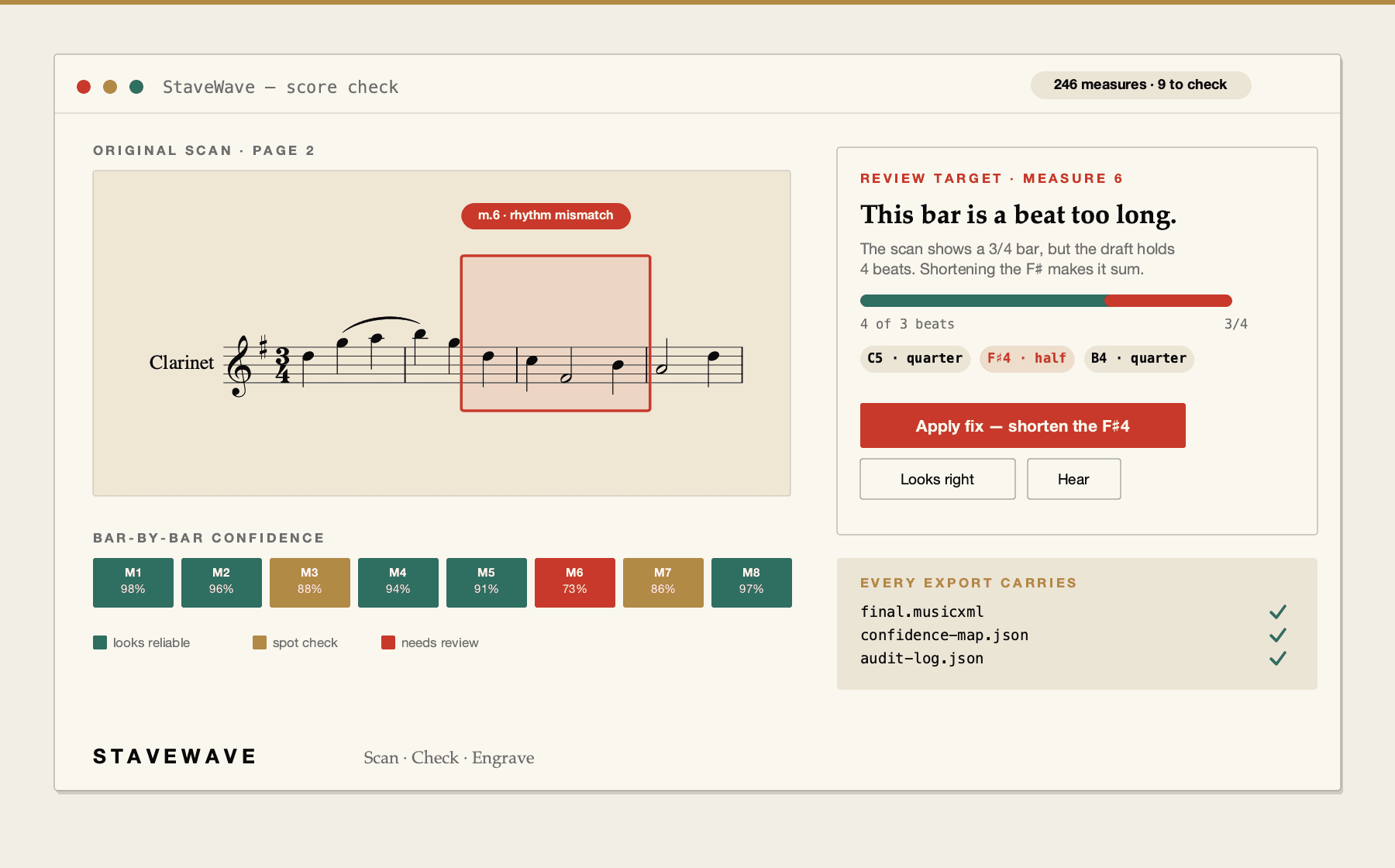
Review the conversion before exporting MusicXML.
Try one page free, no account needed →
No subscription or monthly fees. Start with 100 free signup credits. No credit card required.
Built for the work
One click on the results page gives each instrument its own PDF and MusicXML, and B♭, E♭ and F editions of a concert-pitch score.
Photograph each page with your phone camera, or upload a PDF. Flat pages in even light read best.
Listen in the browser with any part soloed, or download MIDI for home practice. Send the MusicXML to the engraver with extra-large staves for students who need large print.
Note reading, interval ear training, name-that-instrument and more run in any browser, with no account.
How StaveWave checks a conversion
See the checks used before you export MusicXML.
Review
The review shows the original page.
Notation checks
Checks review pitch, rhythm, structure, and articulation before you edit in your notation app.
Steps
Phone photos, scans and PDFs of printed notation all work.
Compare the result with your printed page before you hand out parts.
Parts, transposed editions, MIDI and MusicXML come from one results page.
Questions
No. StaveWave runs online, so it works the same on Mac, Windows, Linux, iPad, or a Chromebook with nothing to install.
MusicXML opens free in MuseScore, and the PDF parts print from any device.
Yes. Email hi@stavewave.com with the credits you need and we will invoice your school.
StaveWave is built for printed notation; handwritten parts are not supported.
Ready to convert