ScanScore alternative

A ScanScore alternative that works online, with a bar-by-bar review.

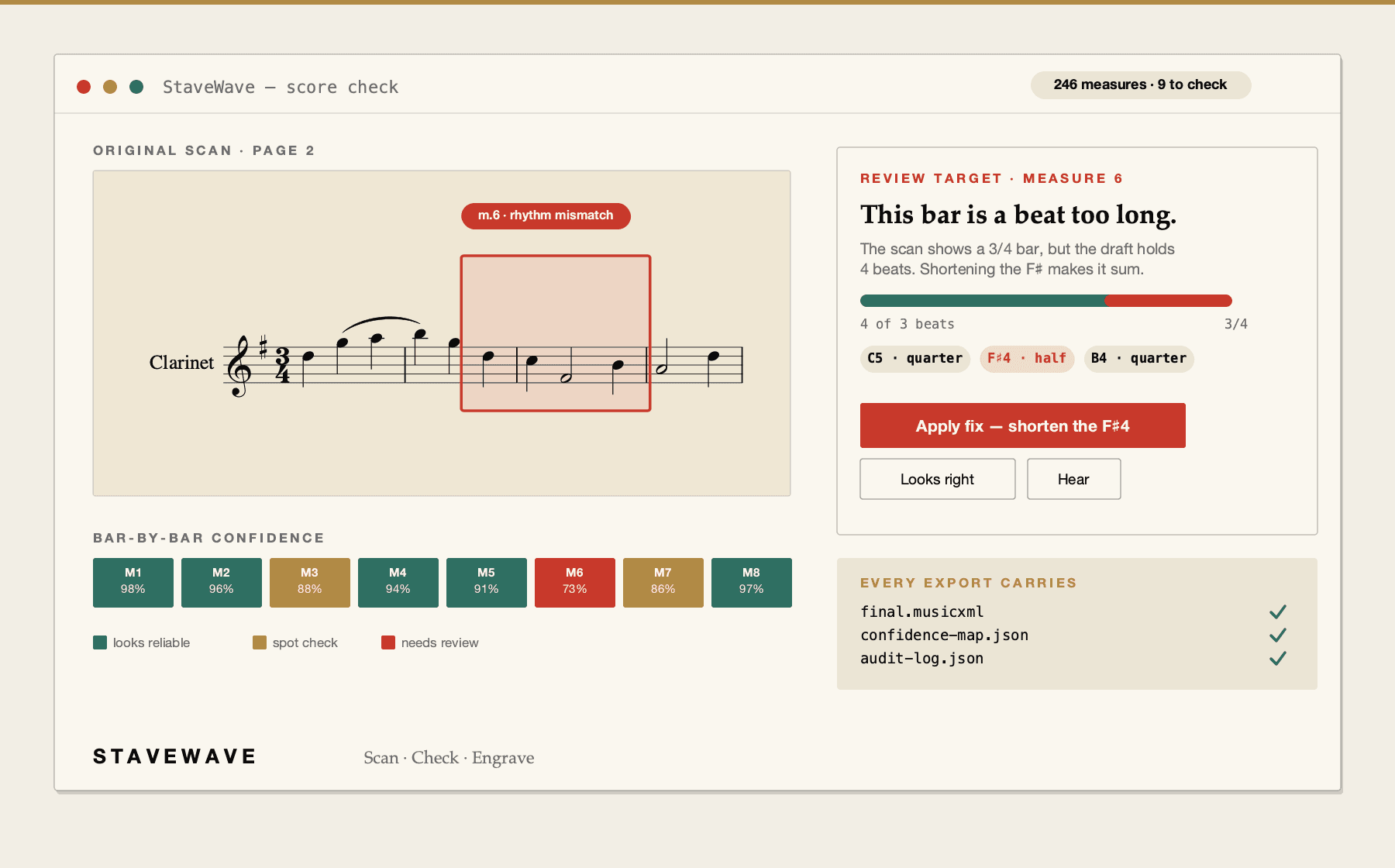
ScanScore is desktop software installed on Windows or macOS. StaveWave runs in the browser: upload a scan, review every flagged measure against the original page, then export MusicXML, MXL, and MIDI.

Optimized for ScanScore alternative, ScanScore alternative online, alternative to ScanScore, sheet music OCR online workflows with reviewable MusicXML output.

StaveWave converting a scanned page in the browser with flagged measures pinned to the original.
Upload a score, review quality evidence, and export MusicXML.

ScanScore alternative benefits

Nothing to install

ScanScore is installed on a Windows or macOS desktop. StaveWave is an online service, so the work happens in the browser — a Mac, a Windows laptop, a Linux box, an iPad, or a Chromebook all reach the same job and the same results page.

The review is the product

Independent recognition engines read the page and StaveWave keeps their disagreements visible. Rhythm math, structure checks, and a render-versus-scan comparison grade each measure, and findings arrive grouped by cause so you fix a pattern once instead of chasing warnings.

Editor-ready output

Export standard MusicXML and MXL for Sibelius, Dorico, MuseScore, or Finale, MIDI to hear what was read, and an engraved print-ready PDF if you want a finished edition.

Processing stack

The recognition and validation layers behind each export.

StaveWave shows the recognition engines, specialist passes, validation checks, and quality gates involved so users can see what checked the score before trusting the MusicXML.

Recognition passes

Independent recognition passes read the score and create MusicXML candidates.

StaveWave compares independent readings of the notation and keeps disagreements visible instead of treating one reading as automatically correct.

Review checks

Review checks compare the original page with the rendered result.

Visual, corpus, and notation checks inspect weak spots, compare the original scan against the rendered transcription, and flag suspicious measures or suggested fixes.

Specialist checks

Specialist checks look for notation mistakes that matter in editing.

Focused passes review pitch, rhythm, text, structure, articulation, and style so the output needs less cleanup in Sibelius, Dorico, MuseScore, Finale, or another editor.

Quality gates

Release gates decide whether the export is ready or blocked.

Validation, consensus, visual comparison, audio checks, plausibility scoring, and audit evidence must run. If a required component fails, the job reports a blocking error.

Workflow

How StaveWave analyzes the upload.

01

Upload the score

Submit a PDF, PNG, JPG, WEBP, or TIFF file up to 100 MB and 50 pages, straight from the browser.

02

Walk the score check

Review flagged measures, grouped by cause, with the evidence pointed at on your original page.

03

Export MusicXML

Export standard MusicXML, compressed MXL, and MIDI for Sibelius, Dorico, MuseScore, Finale, or any standard notation app.

Questions

What to know before uploading.

These answers match the structured data search engines receive for this page.

Do I need to install any software?

No. StaveWave is an online service that runs in the browser on Mac, Windows, Linux, iPad, and Chromebook. There is nothing to install and nothing to keep updated.

How is this different from installed scanning software?

Two things: it runs online rather than on one installed machine, and it shows its work — every uncertain measure is flagged with evidence on your original page instead of arriving as a finished-looking file.

Can I use it on an iPad or Chromebook?

Yes. The service runs in the browser, so any modern device with a browser can upload a score and walk the score check.

What formats does it accept and produce?

It accepts PDF, PNG, JPG, WEBP, and TIFF up to 100 MB and 50 pages, and produces standard MusicXML, compressed MXL, and MIDI, with an engraved PDF available through the engraving service.

Is the MusicXML ready to edit?

It is a draft you have already reviewed. The score check walks you through the uncertain measures first, so you know what to verify when the file opens in your notation app.

Ready to convert

ScanScore is desktop software installed on Windows or macOS. StaveWave runs in the browser: upload a scan, review every flagged measure against the original page, then export MusicXML, MXL, and MIDI.

Convert a scoreSee the score check live