Hymnal conversion

Convert hymnal pages to MusicXML online.

Scan a hymnal page and convert it to editable MusicXML. StaveWave reads four-part harmony and multi-verse lyrics, then walks you through the bars it flagged.

Optimized for hymnal to MusicXML, hymn sheet music OCR, scan hymnal pages, hymnbook to MusicXML workflows with reviewable MusicXML output.

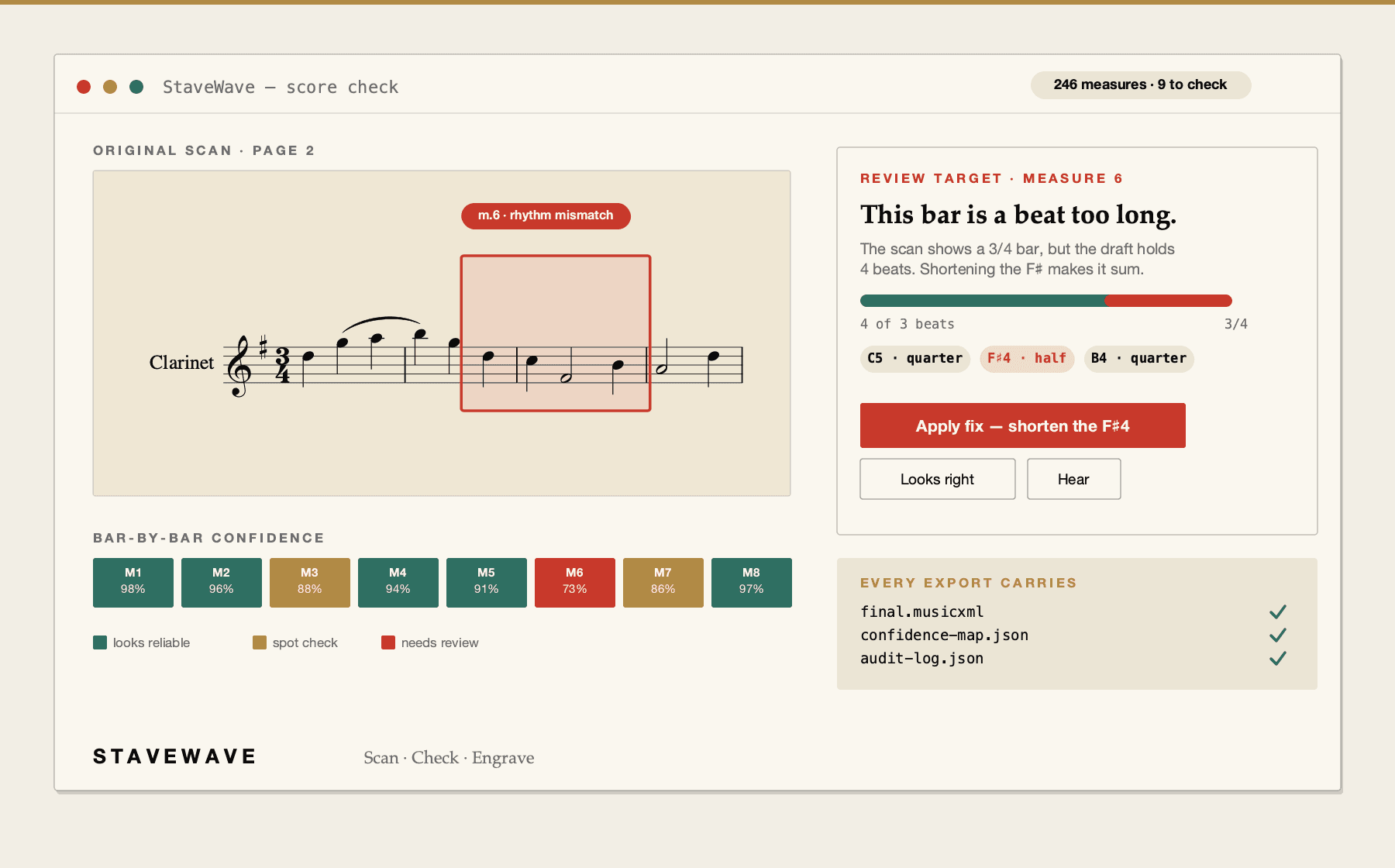
StaveWave converting a scanned hymnal page with four-part harmony into MusicXML.
Upload a score, review quality evidence, and export MusicXML.

Hymnal conversion benefits

Hymnal pages, made editable

A hymn in MusicXML can be transposed for the congregation, reset in larger notation, or reharmonized without redrawing it. StaveWave converts the scanned page into that starting point.

Where the bar-by-bar check earns its keep

Four-part harmony on two staves with three or four verses of text underneath is dense notation. That density is exactly where recognition gets uncertain, and where a check that points at the specific bar saves the most time.

Scanning a bound book

Flatten the page as much as the binding allows, scan at 300 DPI or higher, and keep the spine shadow off the staves. A flat, even scan of the full page gives the cleanest read.

Processing stack

The recognition and validation layers behind each export.

StaveWave shows the recognition engines, specialist passes, validation checks, and quality gates involved so users can see what checked the score before trusting the MusicXML.

Recognition passes

Independent recognition passes read the score and create MusicXML candidates.

StaveWave compares independent readings of the notation and keeps disagreements visible instead of treating one reading as automatically correct.

Review checks

Review checks compare the original page with the rendered result.

Visual, corpus, and notation checks inspect weak spots, compare the original scan against the rendered transcription, and flag suspicious measures or suggested fixes.

Specialist checks

Specialist checks look for notation mistakes that matter in editing.

Focused passes review pitch, rhythm, text, structure, articulation, and style so the output needs less cleanup in Sibelius, Dorico, MuseScore, Finale, or another editor.

Quality gates

Release gates decide whether the export is ready or blocked.

Validation, consensus, visual comparison, audio checks, plausibility scoring, and audit evidence must run. If a required component fails, the job reports a blocking error.

Workflow

How StaveWave analyzes the upload.

01

Scan the hymnal page

Flatten the page, scan at 300+ DPI, and keep the lighting even across the spine.

02

Upload and review

Submit the scan. StaveWave runs recognition, validates each measure, and flags the uncertain bars on your page.

03

Export MusicXML

Export for MuseScore, Sibelius, Dorico, Finale, or any app that reads standard MusicXML.

Questions

What to know before uploading.

These answers match the structured data search engines receive for this page.

Do I need to install any software?

No. StaveWave runs online in the browser, so it works the same on Mac, Windows, Linux, iPad, or a Chromebook with nothing to install.

Does it read all the verses?

Multi-verse lyrics are recognized as separate verse lines under the notes. Stacked verse text is one of the harder cases, so the score check flags measures where the verse alignment was uncertain.

How should I scan a bound hymnal?

Press the page as flat as the binding allows and scan at 300 DPI or higher. Skew and spine shadow are the two things that hurt recognition most, so a flat page beats a high-resolution curved one.

Can I transpose the hymn afterwards?

Yes. The export is standard MusicXML, so transposition, reharmonization, and layout changes all happen in your notation app.

What about hymns with a separate melody line above the harmony?

Multi-staff layouts are handled. The score check flags measures where staff alignment or density caused uncertainty so you know which systems to check.

Is the MusicXML ready to use straight away?

Treat it as a verified draft. The score check walks you through the uncertain measures first, so you know what was flagged before you edit.

Ready to convert

Scan a hymnal page and convert it to editable MusicXML. StaveWave reads four-part harmony and multi-verse lyrics, then walks you through the bars it flagged.

Convert a hymnSee the score check live