Sheet music to MIDI

Convert sheet music to MIDI online.

Upload a PDF, scan, or photo. StaveWave reads the notation, checks every bar, and produces MIDI from the verified score alongside MusicXML.

Optimized for sheet music to MIDI, convert sheet music to MIDI, PDF to MIDI, scan to MIDI workflows with reviewable MusicXML output.

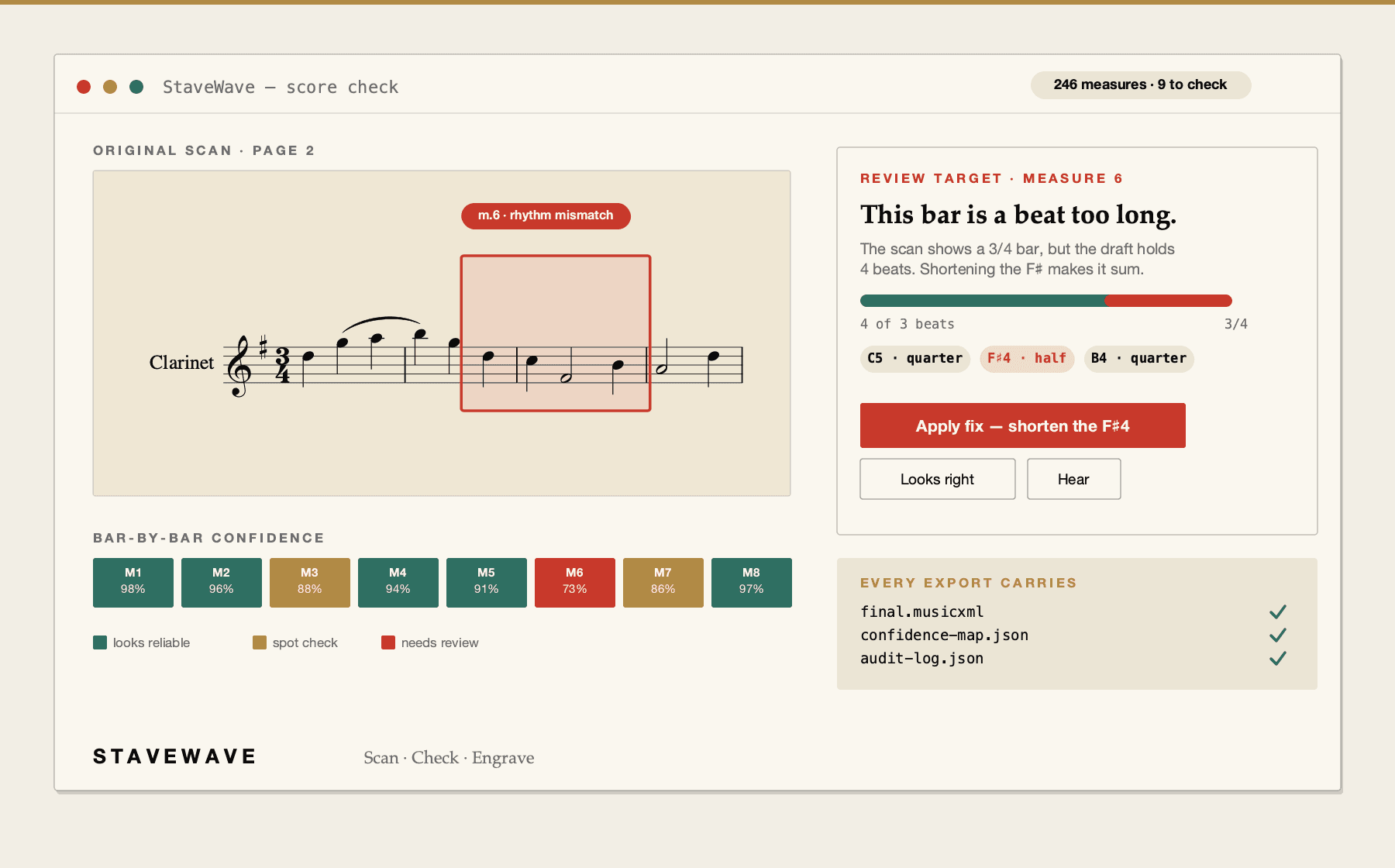
StaveWave converting a scanned score into MIDI and MusicXML.
Upload a score, review quality evidence, and export MusicXML.

Sheet music to MIDI benefits

MIDI from a verified score

The MIDI is generated from the same score you checked, not from a separate guess, so playback matches the notation you signed off on. It is a note-by-note rendering of the score, not an audio recording.

Check the notes before you trust the playback

The bar-by-bar score check flags measures where the recognition passes disagreed. Rhythm errors are audible, so playing a flagged bar is often the fastest way to confirm a fix.

MusicXML and MXL in the same job

Every conversion produces standard MusicXML and compressed MXL as well as MIDI, so the score opens in Sibelius, Dorico, MuseScore, or Finale and the MIDI drops into a DAW.

Processing stack

The recognition and validation layers behind each export.

StaveWave shows the recognition engines, specialist passes, validation checks, and quality gates involved so users can see what checked the score before trusting the MusicXML.

Recognition passes

Independent recognition passes read the score and create MusicXML candidates.

StaveWave compares independent readings of the notation and keeps disagreements visible instead of treating one reading as automatically correct.

Review checks

Review checks compare the original page with the rendered result.

Visual, corpus, and notation checks inspect weak spots, compare the original scan against the rendered transcription, and flag suspicious measures or suggested fixes.

Specialist checks

Specialist checks look for notation mistakes that matter in editing.

Focused passes review pitch, rhythm, text, structure, articulation, and style so the output needs less cleanup in Sibelius, Dorico, MuseScore, Finale, or another editor.

Quality gates

Release gates decide whether the export is ready or blocked.

Validation, consensus, visual comparison, audio checks, plausibility scoring, and audit evidence must run. If a required component fails, the job reports a blocking error.

Workflow

How StaveWave analyzes the upload.

01

Upload the score

Submit a PDF, PNG, JPG, WEBP, or TIFF file up to 100 MB and 50 pages.

02

Walk the score check

Review the flagged measures on your original page and correct what matters.

03

Get MIDI and MusicXML

The results page carries the MIDI file plus standard MusicXML and compressed MXL.

Questions

What to know before uploading.

These answers match the structured data search engines receive for this page.

Do I need to install any software?

No. StaveWave is an online service that runs in the browser, so it works the same on Mac, Windows, Linux, iPad, and Chromebook. There is nothing to install.

Is the MIDI an audio recording?

No. MIDI is note data produced from the verified score, so it plays back through your own instruments or DAW and matches the checked notation exactly.

Which file types can I upload?

PDF, PNG, JPG, WEBP, and TIFF, up to 100 MB and 50 pages per job.

Why does the playback sound wrong in a few bars?

MIDI follows the recognized notation, so a misread rhythm is audible. The score check flags the measures where uncertainty arose — fix those and the playback follows.

Can I get notation as well as MIDI?

Yes. The same job produces standard MusicXML and compressed MXL, and the verified score can go on to the online engraving service for a print-ready PDF.

Ready to convert

Upload a PDF, scan, or photo. StaveWave reads the notation, checks every bar, and produces MIDI from the verified score alongside MusicXML.

Convert a scoreSee the score check live